
TABLE OF CONTENTS
The advice on this page is intended for both macOS and Windows users. If you notice problems with slow rendering, we recommend updating to the latest version Photo Mechanic first to see if that resolves your issue. If that doesn't resolve it, we have some additional steps to try.
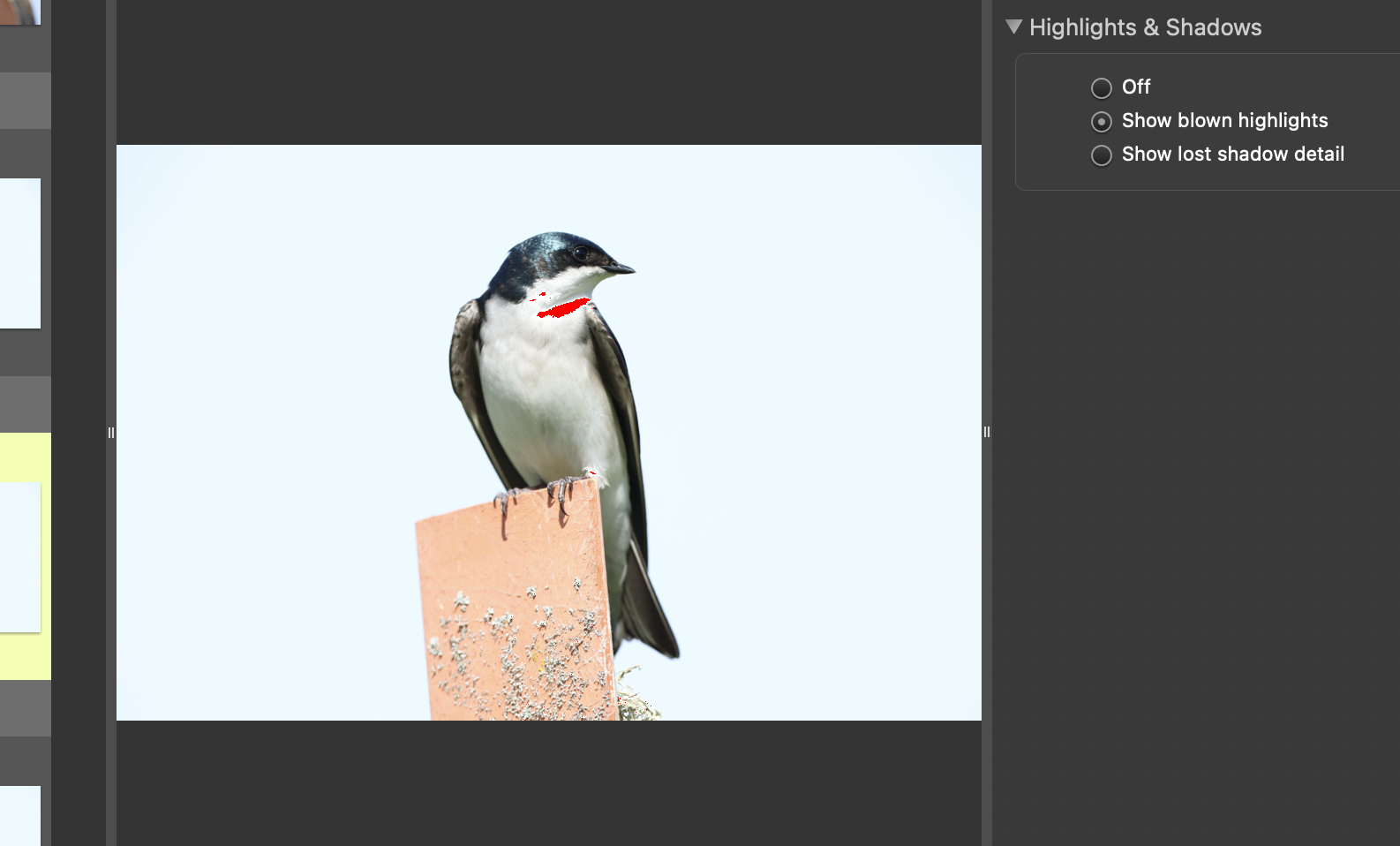
Lost Shadow Detail
Turn off Show blown highlights and Show lost shadow detail in the preview window.
Adjust Preview Preferences
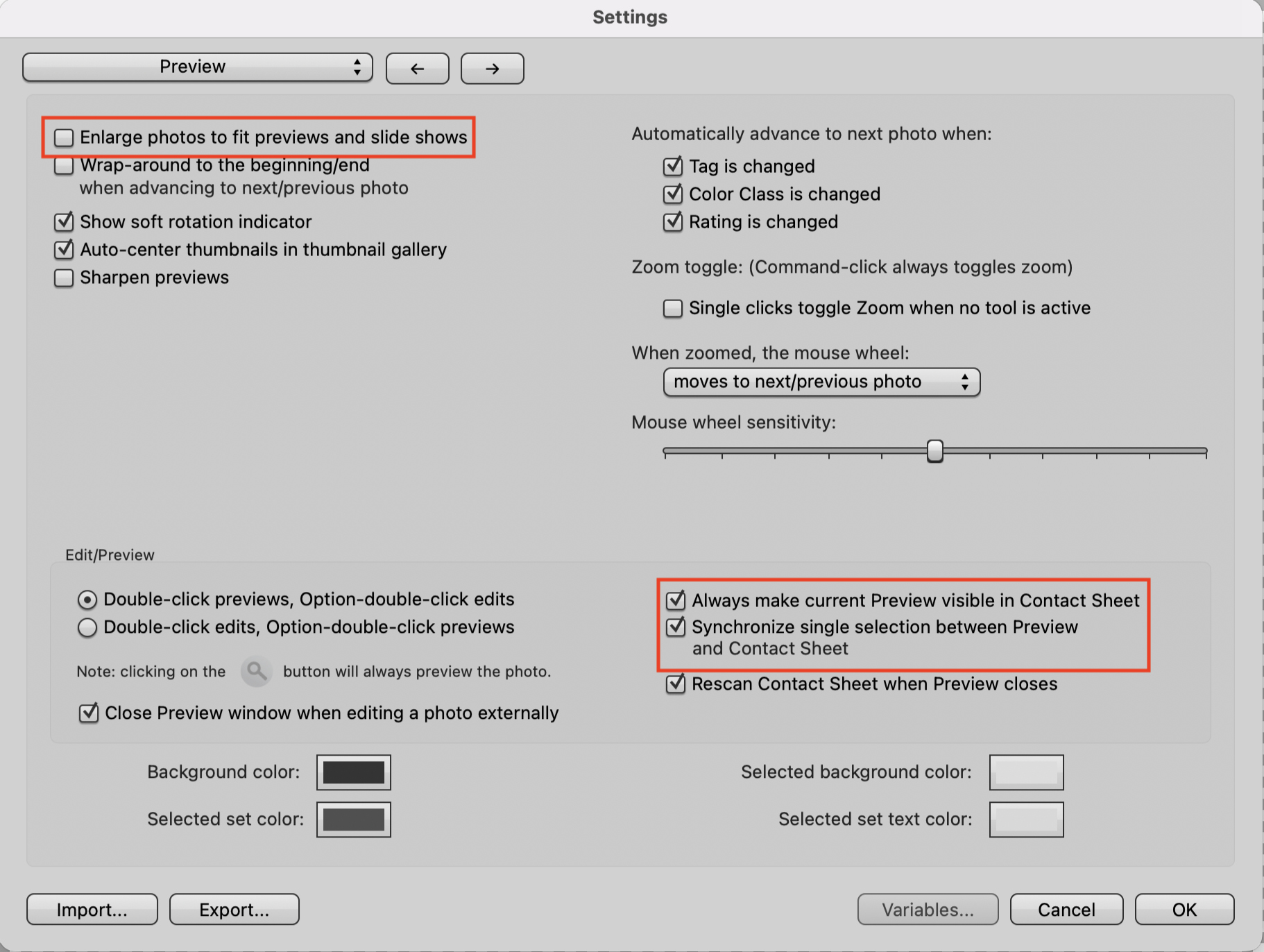
In the Preview tab:
- Turn off Enlarge photos to fit previews and slide shows. This setting just enlarges a pixelated low-resolution preview while the image loads, without it you may notice some previews are tiny.
- Turn off Always make current Preview visible in Contact Sheet.
- Turn off Synchronize single selection between Preview and Contact Sheet.
Check Your Keyboard Preferences
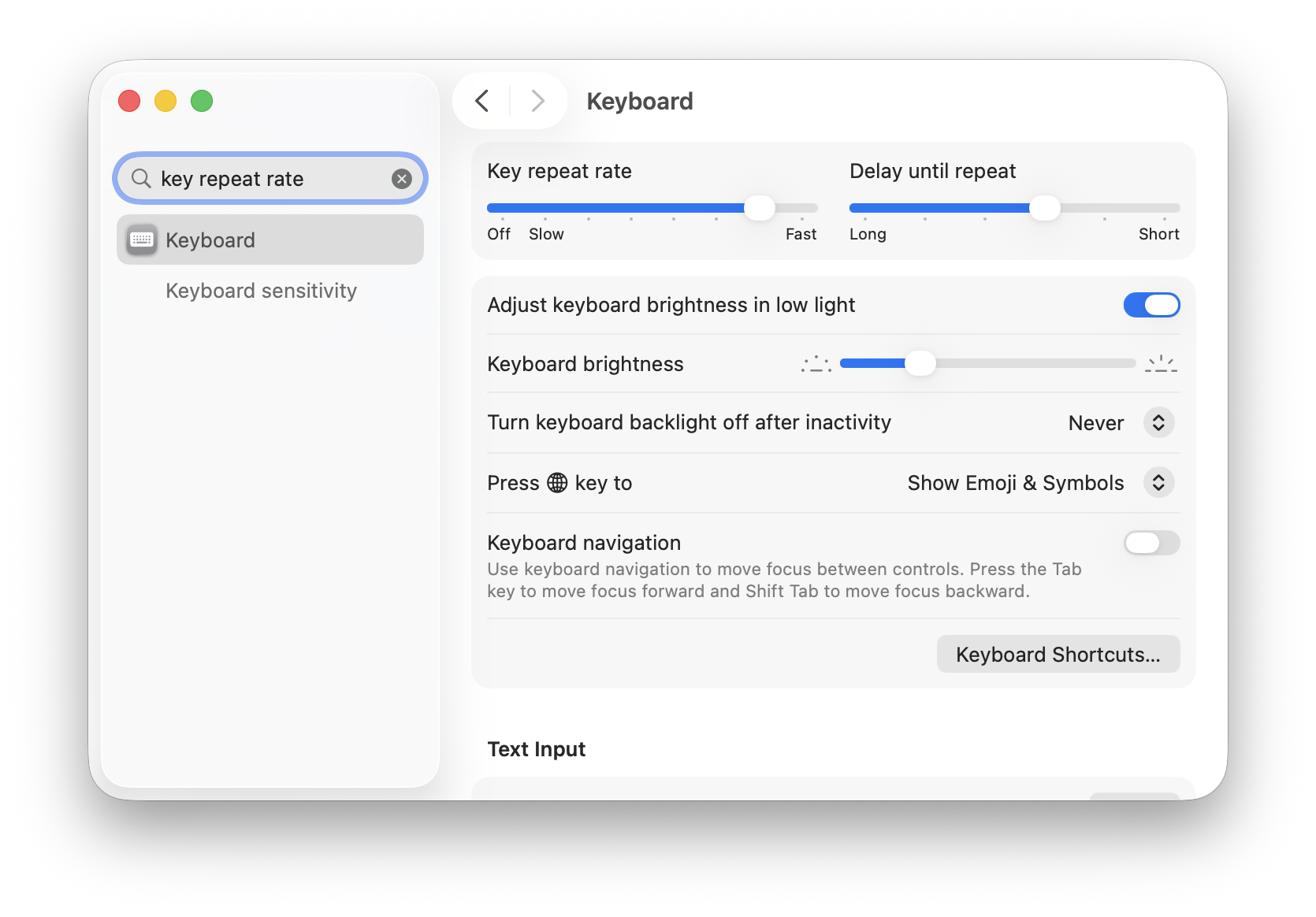
If your Key Repeat setting is Slow or Off, using the keyboard won't let you advance quickly by just holding down an arrow key. Likewise, a shorter Delay Until Repeat can speed up how quickly you can advance through the keyboard. You may want to adjust the Delay Until Repeat to longer if you find that you're often accidentally typing double-characters.